

Registration and login to the platform:
To register as a (new student) on the platform: Go to the platform page via the link:
Baghdad Educational Platform for Open Virtual Learning and Education – Male Students Section
https://lms1.baghdad-academy.com
Baghdad Educational Platform for Open Virtual Learning and Education – Female Students Section
https://lms2.baghdad-academy.com
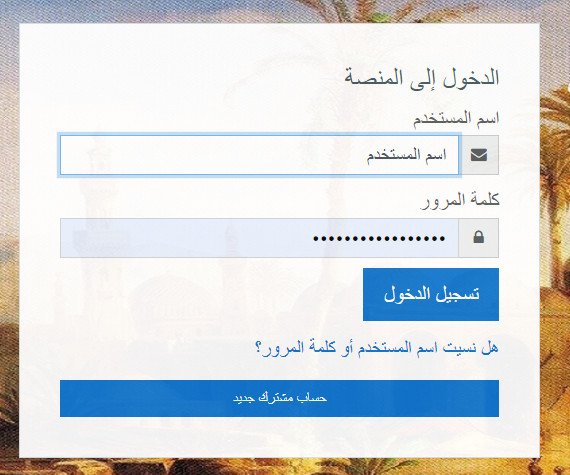
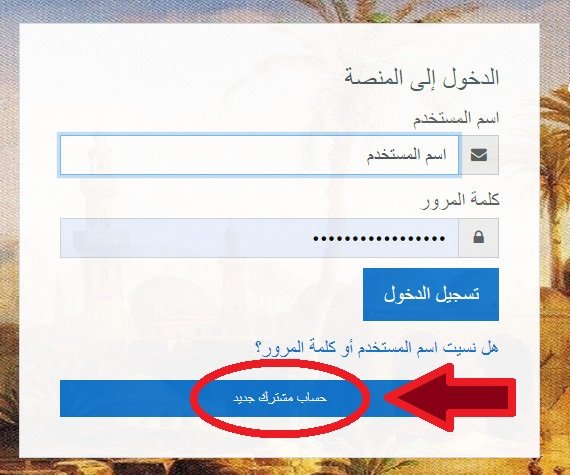
Click on the icon (New Subscriber Account):
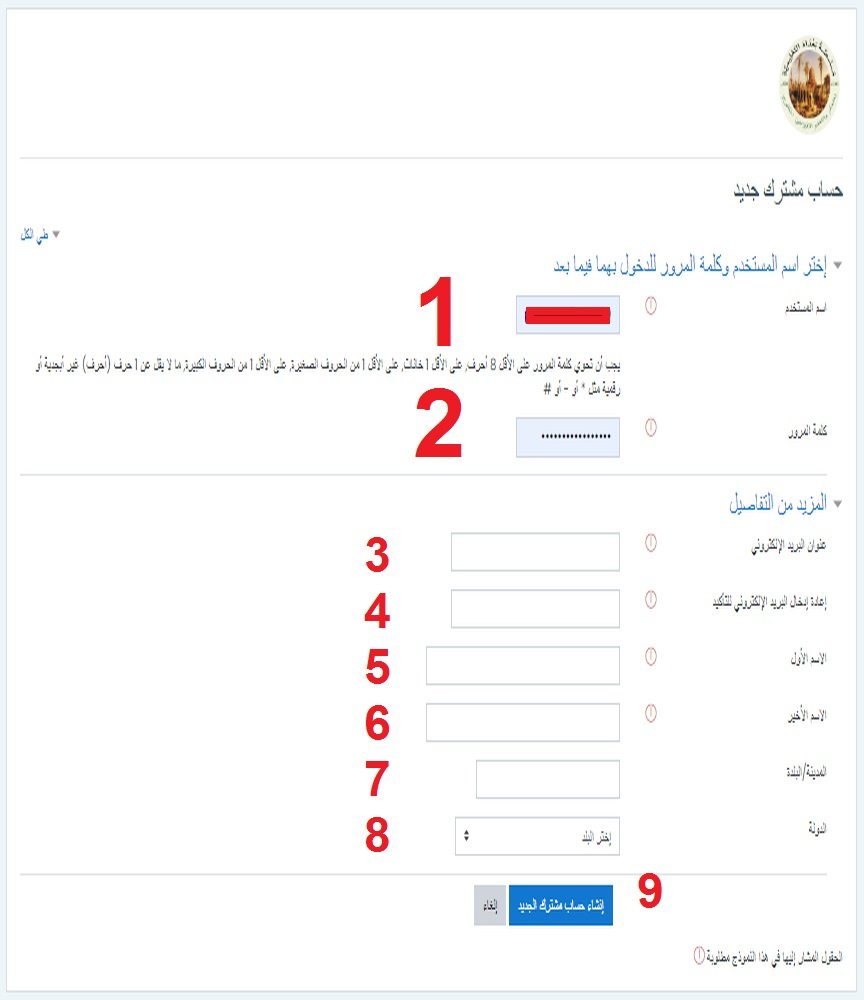
The following page will appear:
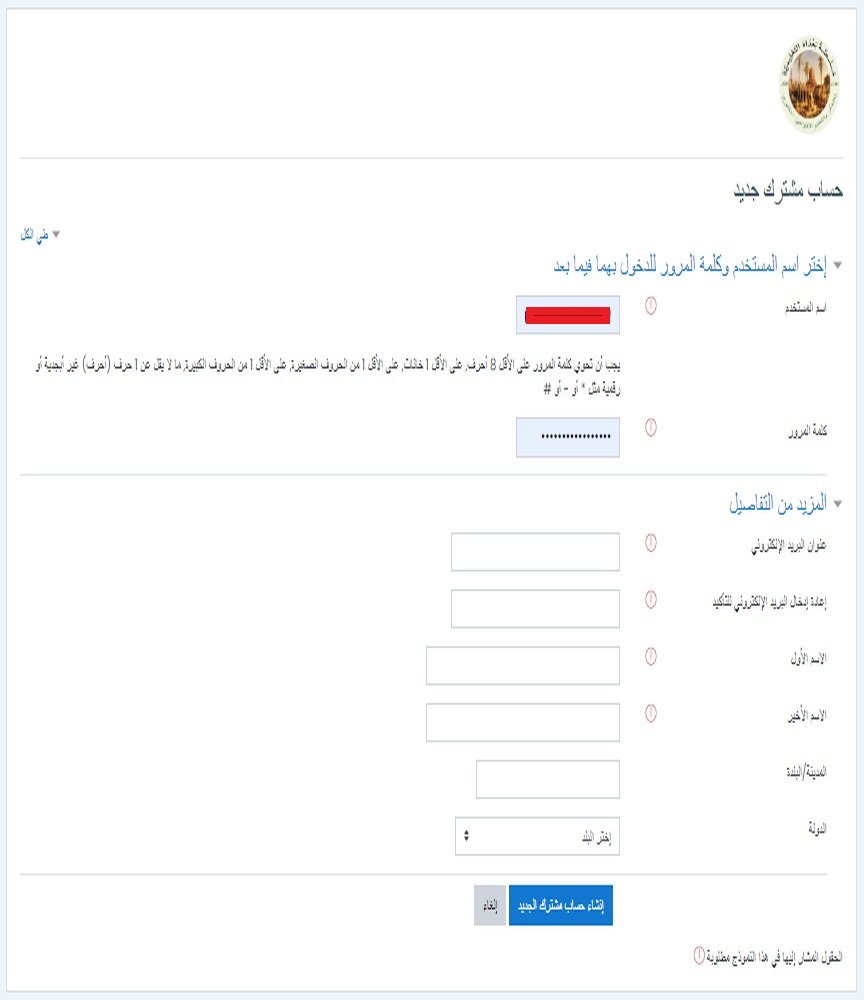
Enter all required fields:
(1) Username: This is how you log in to the platform and is in English letters and numbers.
(2) Password: It is in accordance with the conditions stated opposite it.
(3) Email.
(4) Re-enter the same email.
(5) First name: Which will appear on the certificates.
(6) Last name: Will appear with the first name on the certificates.
(7) The name of the city in which you live.
(8) The name of the country.
(9) Click on: (Create a new user account) to create the account.
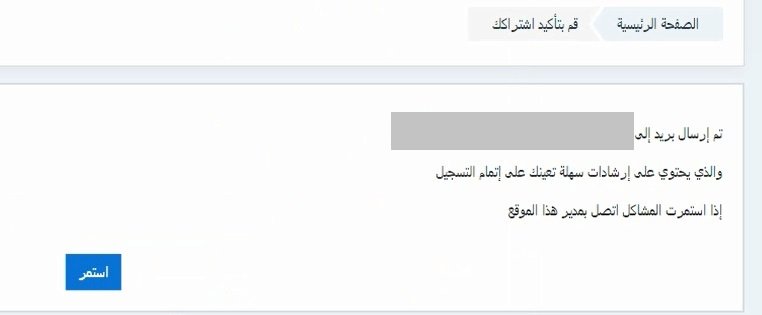
The following page appears:
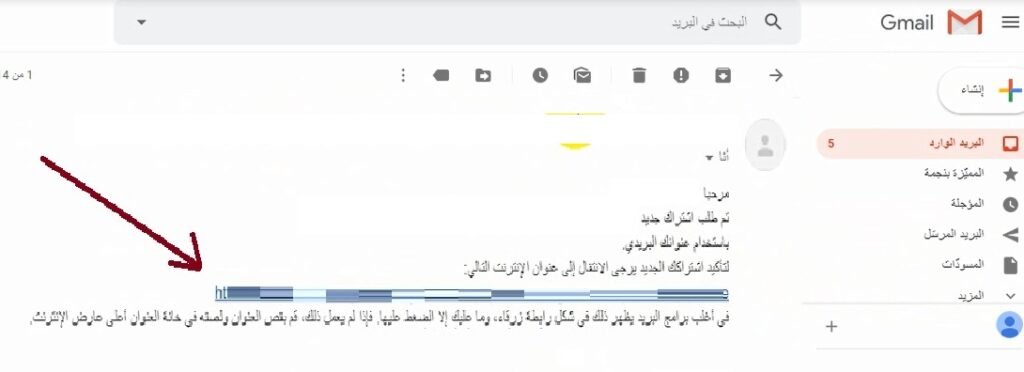
To activate the account, go to the email you registered with, and open the message you received from the platform:
Then click on the activation link:
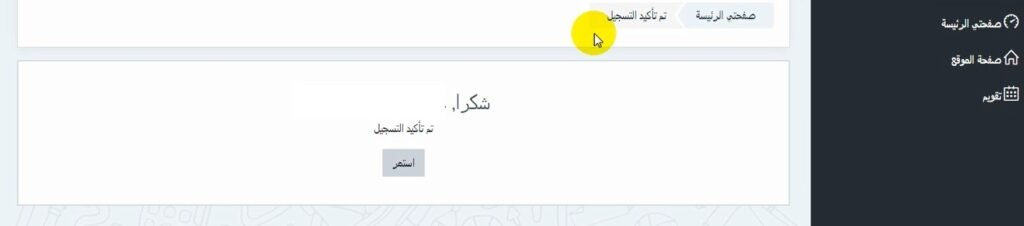
The following page will appear:
Registration and login of students to courses:
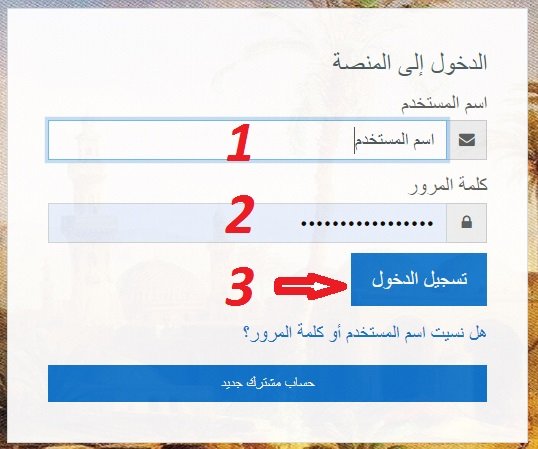
Later, if we want to log in, we write: (1) Username, (2) Password, (3) Login:
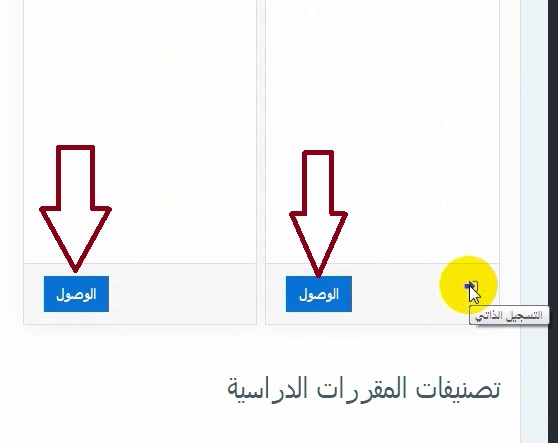
Then we go to the required course via the access icon, then the register me icon, or via the self-registration icon:
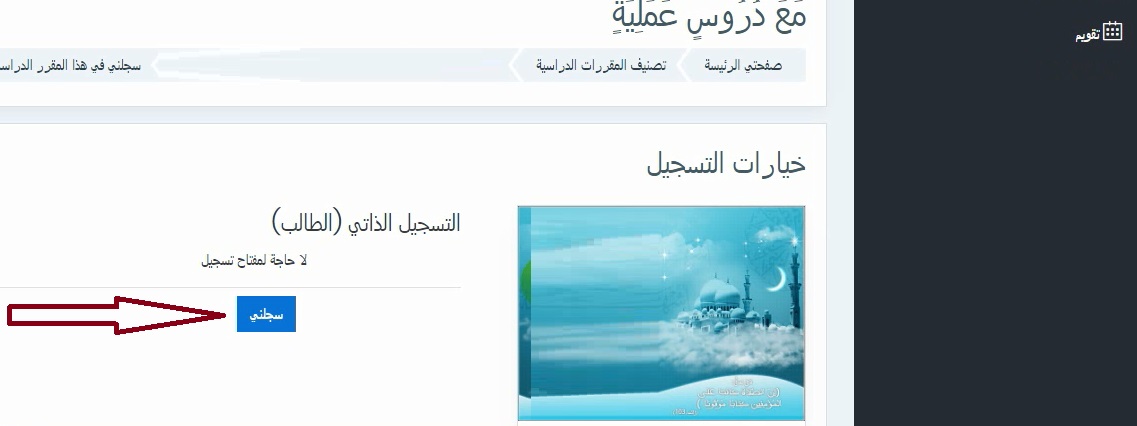
Then we follow the course steps, sections, requirements, tasks, and tests to obtain the certificate, Allah willing.